
Discounted Study Tools | Get 20% OFF Regularly Priced Items with Code: GET20
Olive Tree Account
Log in
Can't Log In?
New to Olive Tree?
Olive Tree Account
Forgot Password
Enter the email address associated with your Olive Tree account to reset your password
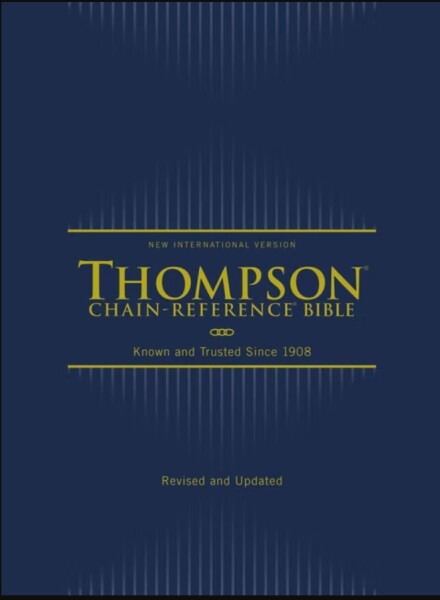
NIV Thompson Chain Reference Bible
List Price:
$39.99
Sale Price:
$14.99
Save 63%
Gift Price:
$14.99
Available for:
iPad, iPhone, Android, Mac, and Windows.
Features
Click on a feature to learn more.
The Resource Guide is the most powerful feature in the Olive Tree Bible App. As you read your Bible in the main window, the Resource Guide follows along and displays relevant Bible study information from your study notes, commentaries, maps and more.
Gain knowledge on any passage of the Bible, exactly when you need it. The Resource Guide will let you know when information in this title is relevant to anything in the main window. It will also track along with you as you read through the Bible.
Wondering where that ancient Israelite city is located that you just read about? Check out the map the Resource Guide will find for you, zooming-in or making it full-screen - or both.
Quickly see all the verses relevant to the current verse you're reading. Tap on the cross reference, a pop-up window will appear, and then you can quickly navigate to the corresponding verse - without ever leaving the passage you're reading.
This is so much more than a traditional dictionary. While you're reading the Bible, the Resource Guide will pull up articles from this dictionary. You can also select words in the text and tap "Look Up" to access relevant information in a pop-up window.
Learn more with information displayed in visually-appealing ways. Not sure what charts you have? The Resource Guide will automatically pull up charts from any relevant sources while you're studying.
Get a feel for how books of the Bible are laid out and how your commentaries will be structured. You can also access these from the Resource Guide when it's applicable to the passage you're reading, providing additional context.
Quickly find information about a book of the Bible, its author, date, audience, purpose, and other topics. If you have an introduction to the book of the Bible you're currently reading, the Resource Guide will make it easily accessible for you.
Reading about a person, place, or thing but don't know what it looks like? If this book has an image of what you're looking for, the Resource Guide will let you know. Just glance under "Image," and tap to see the photo enlarged.
Did your resource mention a passage of Scripture, but you can't remember what the verse says? Never fear! Tap the linked verse and a pop-up window will appear, giving you quick and easy access to the verse in context.

NIV Thompson Chain Reference Bible

For the Olive Tree Bible App
Publisher: Zondervan
NIV Thompson Chain Reference Bible

NIV Thompson Chain Reference Bible

For the Olive Tree Bible App
Publisher: Zondervan
List Price:
$39.99
Sale Price:
$14.99
Save 63%
Gift Price:
$14.99
Available for:
iPad, iPhone, Android, Mac, and Windows.
Features
Click on a feature to learn more.
The Resource Guide is the most powerful feature in the Olive Tree Bible App. As you read your Bible in the main window, the Resource Guide follows along and displays relevant Bible study information from your study notes, commentaries, maps and more.
Gain knowledge on any passage of the Bible, exactly when you need it. The Resource Guide will let you know when information in this title is relevant to anything in the main window. It will also track along with you as you read through the Bible.
Wondering where that ancient Israelite city is located that you just read about? Check out the map the Resource Guide will find for you, zooming-in or making it full-screen - or both.
Quickly see all the verses relevant to the current verse you're reading. Tap on the cross reference, a pop-up window will appear, and then you can quickly navigate to the corresponding verse - without ever leaving the passage you're reading.
This is so much more than a traditional dictionary. While you're reading the Bible, the Resource Guide will pull up articles from this dictionary. You can also select words in the text and tap "Look Up" to access relevant information in a pop-up window.
Learn more with information displayed in visually-appealing ways. Not sure what charts you have? The Resource Guide will automatically pull up charts from any relevant sources while you're studying.
Get a feel for how books of the Bible are laid out and how your commentaries will be structured. You can also access these from the Resource Guide when it's applicable to the passage you're reading, providing additional context.
Quickly find information about a book of the Bible, its author, date, audience, purpose, and other topics. If you have an introduction to the book of the Bible you're currently reading, the Resource Guide will make it easily accessible for you.
Reading about a person, place, or thing but don't know what it looks like? If this book has an image of what you're looking for, the Resource Guide will let you know. Just glance under "Image," and tap to see the photo enlarged.
Did your resource mention a passage of Scripture, but you can't remember what the verse says? Never fear! Tap the linked verse and a pop-up window will appear, giving you quick and easy access to the verse in context.
Description

In the late 1800’s, Dr. Frank Charles Thompson envisioned a simple yet scholarly tool to interpret Scripture with Scripture. After a lifetime of work, he completed a series of "thought suggestions" opposite key verses throughout the Bible. These are what became the "chain links" that comprise the heart of the Thompson system. After more than five generations, the Thompson Chain-Reference® Bible remains unparalleled in its ability to enrich personal devotions, topical study, and sermon preparation.

Look Inside

Features:

Optimized in the Olive Tree App: Seamlessly access over 100,000 references with the tap of your finger as you read and reference Scripture in parallel.

“NIVThompsonChain1”

Comprehensive: Search over 8,000 topics in the alphabetical and numerical indexes.

“NIVThompsonChain2”

Extensive: Study broadly with biographical sketches, a concordance, harmonies of the Bible, maps and illustrations, and much more.

“NIVThompsonChain3”

Overview

List Price:
$39.99
Sale Price:
$14.99
Save 63%
Gift Price:
$14.99
Available for:
iPad, iPhone, Android, Mac, and Windows.
You might also like…